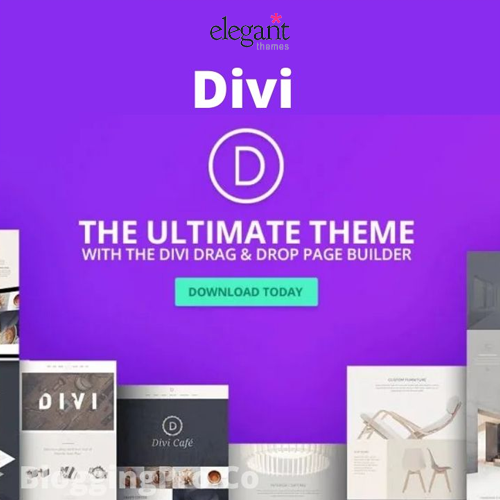
When it comes to building a website, choosing the right theme is difficult. With countless options available, the Divi Theme by Elegant Themes stands out as a popular choice among web designers and developers.
But what makes Divi the best multipurpose theme?
In this review, we’ll explore its features, benefits, and potential drawbacks to help you decide if it’s the right fit for your next project.

About Divi Theme

Divi, a versatile WordPress theme by Elegant Themes, is renowned for its user-friendly design and robust Divi Builder.
It has become a multipurpose theme suitable for blogs, business sites, portfolios, and e-commerce stores. Its drag-and-drop functionality allows beginners to create professional websites without any coding.
The theme comes packed with pre-built layouts, advanced customization options, and a responsive design, making it one of the top choices for web designers and developers.
Divi’s global popularity is further enhanced by its active community, support, and continuous updates from Elegant Themes.
Features of Divi Theme
The Divi theme is renowned for its versatility and user-friendly design capabilities. One of the standout features is the visual builder, which allows users to create layouts in real-time.
This drag-and-drop interface simplifies the process, enabling both beginners and experienced designers to craft stunning pages without needing to write any code.
Customizability is another key feature. With endless design options, users can adjust fonts, colors, spacing, and more, allowing a personalized touch to each element.
The theme also supports responsive editing, ensuring that websites look great on all devices—from desktop to mobile.
Divi’s advanced design settings, including animations and hover effects, enhance interactivity and engagement.
Drag-and-Drop Divi Builder:

The Divi Builder offers a visual, real-time editing experience, allowing users to see changes as they make them. The drag-and-drop feature simplifies the web design process.
Users can easily add new elements, rearrange existing ones, and customize layouts without needing any coding knowledge.
With a wide array of pre-designed templates and modules, the Divi Builder empowers users to create stunning websites tailored to their unique vision.
Pre-Built Layouts:

Divi provides access to hundreds of pre-built website layouts across various niches, making it easy to get started with any type of website.
These layouts are fully customizable, allowing users to tweak colors, fonts, and layouts to perfectly match their brand identity.
Whether you’re creating a blog, an online store, or a portfolio, Divi’s versatility ensures that you can create a professional-looking site in no time.
With its intuitive drag-and-drop editor, even those with no technical skills can design stunning pages with ease. Plus, the responsive design options ensure that your website will look great on any device, from desktops to smartphones.
Responsive Editing:

The theme is fully responsive, with customization options for different screen sizes to ensure that websites look great on all devices.
This adaptability allows for seamless transitions between mobile, tablet, and desktop views, enhancing user experience regardless of the device.
With intuitive design elements, users can easily tailor aspects such as typography, color schemes, and layouts to match their brand identity.
Custom CSS Control:

For advanced users, Divi offers the ability to add custom CSS directly within the builder for even more precise control.This feature allows users to target specific elements on their pages, creating tailored designs that stand out from the crowd.
By accessing the advanced settings in each module, you can enter your CSS styles directly, making it easier to achieve the desired look without toggling between multiple platforms.
Whether you want to adjust margins, change fonts, or modify background colors, this option empowers you to enhance the visual experience of your website while maintaining responsiveness across devices.
WooCommerce Integration:

Divi is fully compatible with WooCommerce, allowing users to create beautiful and functional online stores.This compatibility ensures that you can showcase your products with stunning layouts and designs, making it easy for your customers to navigate and shop.
With a wide range of customization options, from product galleries to elegant cart layouts, Divi empowers you to create an engaging shopping experience.
Plus, its responsive design guarantees that your store looks fantastic on all devices, enhancing accessibility and user satisfaction.
Divi Theme: Pros and Cons
In this section, I will break down the advantages and disadvantages of using Divi, including its versatility, ease of use, and customization options as major pros, while also highlighting potential drawbacks like the learning curve, occasional speed issues, and the theme’s lock-in effect.
Pros✅
Divi is an incredibly versatile theme that adapts to various website types, from blogs and portfolios to eCommerce stores.
Its intuitive drag-and-drop builder makes it accessible to beginners, allowing them to create professional designs without needing coding skills.
- Ease of Use: The intuitive drag-and-drop builder and real-time editing make it accessible to beginners and non-developers.
- Customization: With extensive design options and global elements, Divi provides a high level of customization.
- Pre-Built Layouts: Hundreds of professionally designed layouts save time and inspire creativity.
- Responsive Design: Divi ensures your website will look great on any device.
- Regular Updates: Elegant Themes consistently updates Divi, ensuring compatibility with the latest WordPress versions and adding new features.
Cons❌
One of the main drawbacks of Divi is its learning curve, particularly for new users who may need time to understand the full range of features and customization options.
Due to its complexity, Divi can sometimes lead to slower page load times if not optimized properly, affecting user experience and SEO.
- Learning Curve: While the builder is powerful, new users may need some time to learn all of its features and capabilities.
- Speed Issues: Depending on the complexity of the website, Divi can occasionally lead to slower load times if not optimized properly.
- Switching issues: Switching from Divi to another theme can be difficult because the design heavily relies on the shortcodes of the Divi Builder.
Divi Pricing
Divi offers flexible pricing plans that cater to different types of users, whether you’re a designer, developer, or business owner.
One of the standout features is the Lifetime Access plan, which allows you to make a one-time payment and use Divi and all other Elegant Themes products without any recurring charges. This plan is ideal for long-term users who want to avoid annual renewals.
Divi’s premium features include access to all Elegant Themes products, premium support, and updates. Additionally, Divi can be used on unlimited websites, making it a popular choice for agencies and freelancers.
Divi offers two main pricing options:
- Yearly Access:
- Get access to Divi, Extra, Bloom, and Monarch for $89 per year. This plan includes unlimited website usage, premium support, product updates, and access to all themes and plugins from Elegant Themes.
- Lifetime Access:
- For a one-time payment of $249, you can enjoy lifetime access to all Elegant Themes products, including updates and premium support, without ever needing to renew your membership.
Divi Alternatives
- Shop Maina
- Top Store
- Open Shop
- Elementor
- Astra
- OceanWP
Plugin Compatibility with Divi
Divi is compatible with a wide range of WordPress plugins, making it suitable for various website needs:
- Lead form Builder
- Compare plugin
- WooCommerce
- Yoast SEO
- WPForms
Divi Theme Review: Is This Theme Good?
Divi is undoubtedly one of the best multipurpose themes available for WordPress. Its combination of design flexibility, ease of use, and powerful features makes it an excellent choice for anyone looking to create a unique website.
Whether you’re a beginner, a business owner, or a professional web designer, Divi offers everything you need to build a modern, responsive, and visually appealing website.
However, like any theme, it has its limitations, such as a learning curve for new users and potential performance issues with larger websites.
Overall, Divi’s advantages outweigh its drawbacks, making it a top contender in the world of WordPress themes. If you’re looking for a theme that can handle various website projects with ease, Divi is definitely worth considering.
FAQ
Q: Is Divi suitable for e-commerce websites?
Ans: Yes, Divi is fully compatible with WooCommerce, making it an ideal choice for online stores.
Q: Is Divi multilingual?
Ans: Yes, Divi is translation-ready, enabling the creation of multilingual websites.
Q: What types of websites can I create with Divi?
Ans: You can build various websites with Divi, including blogs, portfolios, business sites, e-commerce stores, and landing pages.
Conclusion
Divi is a versatile and feature-rich WordPress theme that stands out as one of the best multipurpose options on the market.
Its drag-and-drop builder, extensive customization options, and wide range of pre-built layouts make it accessible to both beginners and experienced web designers.
While it comes with a few drawbacks, such as a learning curve and potential performance issues, Divi’s strengths far outweigh these concerns.
With regular updates and strong plugin compatibility, Divi is a reliable choice for anyone seeking a powerful and adaptable theme for building a modern and professional website.
Check Out More Articles